
goa
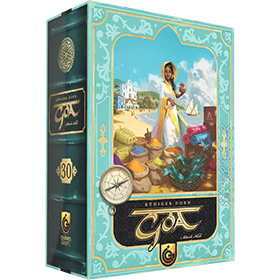 Goa is a strategic eurogame focused on auctions, resource management, and long-term planning. The BGA version relies on the third edition (2026).
In the early 16th century, Goa stood at the crossroads of global trade. Situated on India's western coast, the city quickly grew into one of the most important commercial hubs of the Indian Ocean world. Merchants from India, Arabia, Africa, and Europe converged here to exchange spices, textiles, precious goods, and knowledge.
Over the course of the game, players develop their trading operations by acquiring ships, securing merchant contracts, expanding plantations, and advancing along several progress tracks. Each round, players participate in auctions to gain access to powerful actions, forcing them to carefully balance short-term needs against long-term growth.
Success in Goa comes from timing your investments, adapting to changing market opportunities, and building an efficient economic engine. Multiple paths to victory are available, rewarding flexible strategies and thoughtful planning rather than tactical luck.
By the end of the game, the player who has best managed their resources, progress, and influence will emerge as the most successful trading house in Goa.
Колькасць гульцоў: 1 - 4
Працягласць гульні: 62 mn
Складанасць: 3 / 5
Згуляйце ў goa і 1414 іншых гульняў онлайн.
Без запампоўкі, проста з вашага браўзэра.
З вашымі сябрамі і тысячамі гульцоў з усяго свету.
Гуляйце бясплатна.


Згуляйце ў goa і 1414 іншых гульняў онлайн.
Без запампоўкі, проста з вашага браўзэра.
З вашымі сябрамі і тысячамі гульцоў з усяго свету.
Гуляйце бясплатна.
Кароткія правілы
Components
- 1 Game Board (center of the table) with 1 Round Marker
- 1 Player Board per player : with 5 colored progress markers + 5 colored auction markers
- 1 Nazar Stone (starting player marker) displayed on player side panel when assigned to a player
- 29 Market Tiles (Day) - 4 randomly removed
- 29 Market Tiles (Night) - 4 randomly removed
- 18 Outposts tiles
- unlimited currencies cards (Pardaos, Ships, Contracts, Compasses)
- 30 Exploration Cards
- unlimited Goods tokens of 5 types/colors
- Coconut coir
- Turmeric
- Pepper
- Silk
- Dried fish
Setup
The game starts with the day phase : 25/29 market tiles randomly placed on the 5x5 grid of the main board; later for the night phase 25/29 other market tiles will be randomly placed on the grid.
1 Exploration Card is drawn by each player until one player draw an Elephant symbol and becomes the starting player with 5 money, the others with 10.
Gameplay Overview
A game of Goa is divided into day and night cycles, each of which consists of 4 rounds. After the day cycle, remove all tiles from the playing area and setup the night tiles on the instead. At the end of the night cycle, the game ends and the player with the most points is declared the winner.
Each round consists of 3 successive steps :
1. Place Auction Markers
2. Tile Auctions
3. Actions
On Your Turn
Step 1. Place Auction Markers : Each player places an auction marker on the grid. The first player places an auction marker and the starting player token on an empty space. Then each player places an auction marker next to the previous marker if possible.
Step 2. Tile Auctions : Each player, starting with the player after the one who auctioned that tile/token has 1 turn to decide if they want to overbid or pass the auction related to the spots. The first auction is to gain the starting player marker + 1 compass card. All others are to gain the tile under the auction marker.
The last player in the sequence (the same one who placed their auction marker on that tile/token) has these choices:
- They may accept the highest bid. The player with that bid pays the player who auctioned the tile.
- They may take the tile for themselves. The player pays 1 less than the highest bid to the supply.
- If no one bid anything, they may take the tile for free.
Step 3. Actions : each player must play 1 possible action + max 1 card from their hand + play tiles from their hand until everyone played 3 actions. Then continue with players with compass cards (each action will cost 1 compass card), players cannot keep more than 1 compass card after this step (for future rounds).
- Basic actions are described as tooltips on player board column headers. In each case, the exact number of resources gained depends on how far you've progressed on that column.
- Progress : improve another basic action by moving down 1 of your own progress markers. Pay the listed number of trade goods and 1 ship for each good paid.
- Build Ships: collect ships from the supply.
- Produce goods: collect goods from the supply. You may only take goods if you have a depot that can store that good.
- Collect Taxes: collect money from the supply.
- Explore: draw Exploration cards. Unless otherwise specified, these can now be used for their effect at any time during your turn and do not consume an action (but can't be used for establishing an outpost anymore). After drawing, discard down to your hand limit.
- Establish an Outpost: attempt to collect an outpost tile. First, decide which tile you want. Then reveal two Exploration cards from the deck to see how many contracts you have (this is shown on the bottom left of the card). If those, the number of contracts from your progress marker, and the number of contract cards you're willing to spend add up to the number of contracts needed to establish that outpost, take the tile. Otherwise, take one contract card as a consolation prize.
- Cards actions are described in tooltips and help button (?) in the bottom left of the game
- Tiles actions are described in tooltips and help button (?) in the bottom left of the game
End of game
The game ends after 8 rounds (4 Day rounds + 4 Night rounds), then the game computes scores.
Scoring
You don't score anything during the game, but instead count different elements at the end :
- Progress Markers : Each of your Progress Markers scores between 0 and 10 points as indicated on the left of your Player Board row
- Outposts : You score between 1 and 10 points for your established Outposts :
| Number of Established Outposts | Points |
|---|---|
| 1 | 1 |
| 2 | 3 |
| 3 | 6 |
| 4 | 10 |
- Island Symbols : Score Victory Points for each set of identical Island symbols shown on the Exploration Cards still in your hand ( Tiger / Elephant / Urn / Statue / Palm tree / Shell): Each symbol type scores between 1 and 15 points, depending on how many matching symbols you collected :
| Number of identical Island Symbols | Points |
|---|---|
| 1 | 1 |
| 2 | 3 |
| 3 | 6 |
| 4 | 10 |
| 5 | 15 |
- Richest player : The player with the most money scores 3 points
- Tiles :
- Each tile with a specified score gives you those points, but if you also have the Foreman tile, you score 3 points instead of 1 for single-field Depots
- Be careful with the Duty tile (see page 18): it only grants its listed 5 points if you successfully fulfilled its requirement during the game (you will see a green check on it).
Options
- Bonanza Module :
- On : add 4 hidden tiles in the market corners at the beginning of Day/Night phases
- Off
- Planned Expansion Variant :
- On : you have a fixed number of contracts before establishing new outposts (based on your progression on that action)
- Off : you draw 2 cards to gain contracts before establishing new outposts
- Automaton (only with Solo) :
- Level 1 : Automaton starts with 5*1 + 3*2+1*5 coins cards
- Level 2 : Automaton starts with 4*1 + 3*2+2*5 coins cards
- Level 3 : Automaton starts with 2*1 + 3*2+2*5+1*10 coins cards
- random : level is randomly chosen at start between possible levels
Player Preferences
- Interface setting : Zoom icons (+)/(-)/Reset on the top right corner
- Reset : will make game elements the same size as designed by developer to fit a standard screen (1920px) => common board on the left, player board on the middle, opponent board on the right. If your screen is smaller, you have to scroll down for opponent boards. If your screen is smaller, you have to scroll down for all players.
- (+) : zoom in to have less elements fit in the screen
- (-) : zoom out to have more elements fit in the screen
- Ask for turn confirmation : Enabled/Disabled
- Default: Enabled
- If enabled, add a step to click "Confirm" or "Undo"/"Restart" before turn ends
- Undo buttons style: "Text"/"Icon"
- Default : Icon
- If set to "Icon", display 1 arrow icon instead of "Undo last step" and 2 arrow icons instead of "restart turn"
- Background : Enabled/Disabled
- Default : Enabled
- If Enabled, display a light theme background behind game components
- Player panel details : Enabled/Disabled
- Default : Enabled
- If Enabled, display 2 more lines of informations in player side panels : count of each good types + count of each card symbol type in hand
- Hand of cards :
- Bottom of window (default) : display hand cards attached to the bottom of the window, in order to continue to view it when scrolling the page
- Top of game area : displayed on top (= after status bar title and before main board)
- Near player board : displayed after your own board and limited to its width
- Display Discard in Hand at anytime
- Disabled (default): you can only click your cards when you can play them or discard them after action Explore
- Enabled : you can only click your cards during your actions turn in order to discard at anytime (in order to respect rules and permit edge cases strategies on deck/discard pile)